📇 Pihole and Tailscale in an Active Directory Environment
OVERVIEW:

This guide explains how to configure Pi-hole, Tailscale, and Active Directory DNS for seamless DNS resolution and ad-blocking across a network.
- Devices in our network use Pi-hole as the DNS server, ensuring ad-blocking and centralized DNS resolution.
- Pi-hole is configured as a forwarder in Active Directory (AD) DNS for external queries.
- In Pi-hole, we set up Conditional Forwarding to forward internal queries to the AD DNS server.
- Internal queries are sent to Pi-hole and forwarded to our AD DNS server based on our Conditional Forwarding setup in Pi-hole.
- External queries (like
google.com,yahoo.com) are resolved directly through Pi-hole, blocking ads and trackers along the way.
Info
Since we are using Tailscale for the VPN and Active Directory (AD) for internal DNS, our goal is to ensure that Pi-hole handles DNS resolution for external queries (like websites and ads) and that internal queries (like those for Active Directory) are forwarded to our AD DNS server.
🍓 1. PI-HOLE CONFIGURATION
Got to you Pi-hole admin page, navigate to Settings > DNS, and switch to the Expert view:

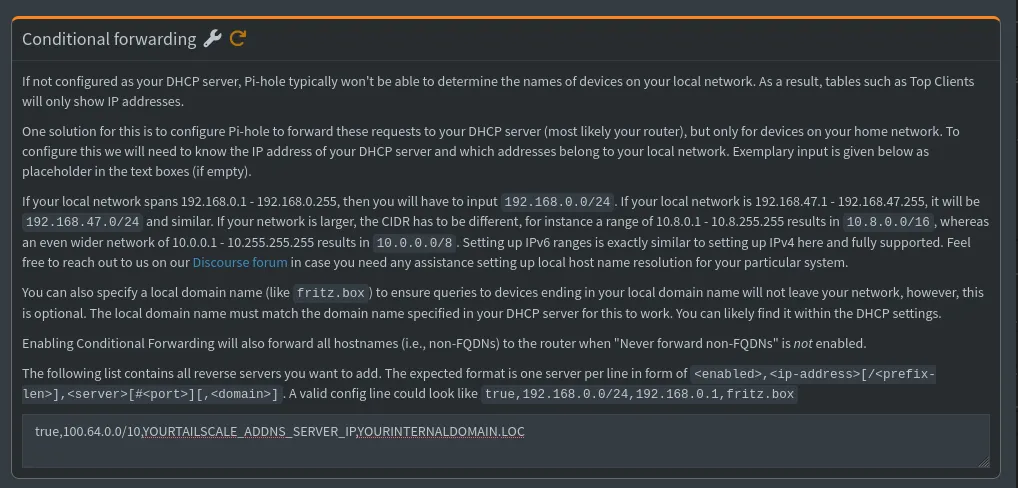
Scroll to the bottom of the page and enter the following to configure conditional forwarding for your internal Active Directory network:
true,100.64.0.0/10,YOURTAILSCALE_ADDNS_SERVER_IP,YOURINTERNALDOMAIN.LOC
- "True" - enables conditional forwarding (allowing Pi-hole to resolve the local network name.)
- 100.64.0.0/10 - represents the local subnet for our network (CIDR notation). Where Pi-hole will forward DNS requests coming from devices in this range. Since we are using Tailscale we will use the IP range they provide
- YOURTAILSCALE_ADDNS_SERVER_IP - The Tailscale IP of our Active Directory DNS server (100.x.x.x). Check your Tailscale admin page for your correct IP address. Pi-hole will forward internal DNS queries to this IP for resolution.
- YOURINTERNALDOMAIN.LOC - This is the domain name we want Pi-hole to forward DNS queries for. Make sure you change this to reflect you own domain.
🔐 2. TAILSCALE CONFIGURATION
To configure DNS for a client device via the Tailscale admin console:
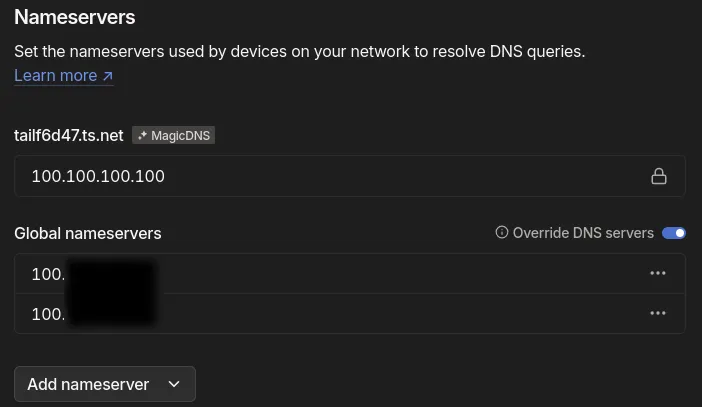
- Go to DNS Settings under the admin panel.
- Ensure “Enable MagicDNS” is enabled if we want Tailscale to automatically handle DNS for our devices.
- Under "Override DNS settings for Tailscale devices," enter the IP of our pi-hole DNS servers.
📇 3. ACTIVE DIRECTORY DNS CONFIGURATION
Lets make sure that our Pi-holes are acting as a forwarder for external DNS queries in our AD DNS settings:
- Open the DNS Manager (
dnsmgmt.msc) on our Active Directory DNS server. - Right-click our DNS server and choose Properties.
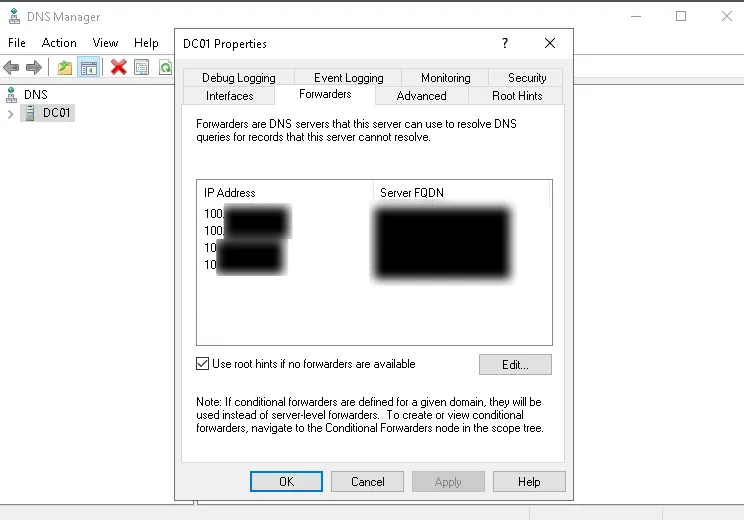
- Go to the Forwarders tab and add our Pi-hole IP addresses.